Connecting the Dots: How Workflow Automations Make AI Employees Unstoppable
An AI receptionist that answers every call is genuinely useful. But answer the phone and then do nothing with what happens next, and you've solved one problem while leaving five others exactly where they were. The call gets answered. Then what? Does the appointment actually make it onto the calendar? Does the customer get a reminder? Does anyone follow up if they don't show?
This is the part most conversations about AI employees skip entirely. The individual AI is rarely the bottleneck. What happens in between actions, the wiring nobody sees, is usually where things quietly fall apart.
An AI Employee Is Only as Good as What Happens After It Talks
Picture an AI voice receptionist that answers a call flawlessly, understands the customer's request, and books an appointment. Impressive on its own. But if that appointment doesn't automatically sync to the technician's schedule, doesn't trigger a confirmation text, and doesn't get logged anywhere your team can see it, you've essentially built a very articulate assistant that talks to a wall.
The conversation itself was never the hard part. Getting that conversation to actually change something in your business, a calendar slot filled, a CRM record updated, a follow-up sequence triggered, is the part that requires something working quietly behind the scenes. That something is workflow automation, and without it, even the most impressive AI employee is operating in isolation.
What "Connecting the Dots" Actually Looks Like in Practice
Workflow automation is the layer that takes an action from one AI employee and turns it into a trigger for the next thing that needs to happen, without a human manually carrying information from one system to another.
Here's a simple example of what that chain actually looks like once it's built correctly:
- A customer calls and books an appointment through the Voice AI Receptionist
- That booking automatically triggers a confirmation text and calendar invite, no one has to send it manually
- Two days before the appointment, an automated reminder goes out on its own
- If the customer doesn't show up, a follow-up sequence through Conversation AI reaches out to reschedule, rather than the slot simply going unfilled and unnoticed
- After the appointment happens, an automated review request goes out, timed appropriately rather than sent immediately in a way that feels rushed
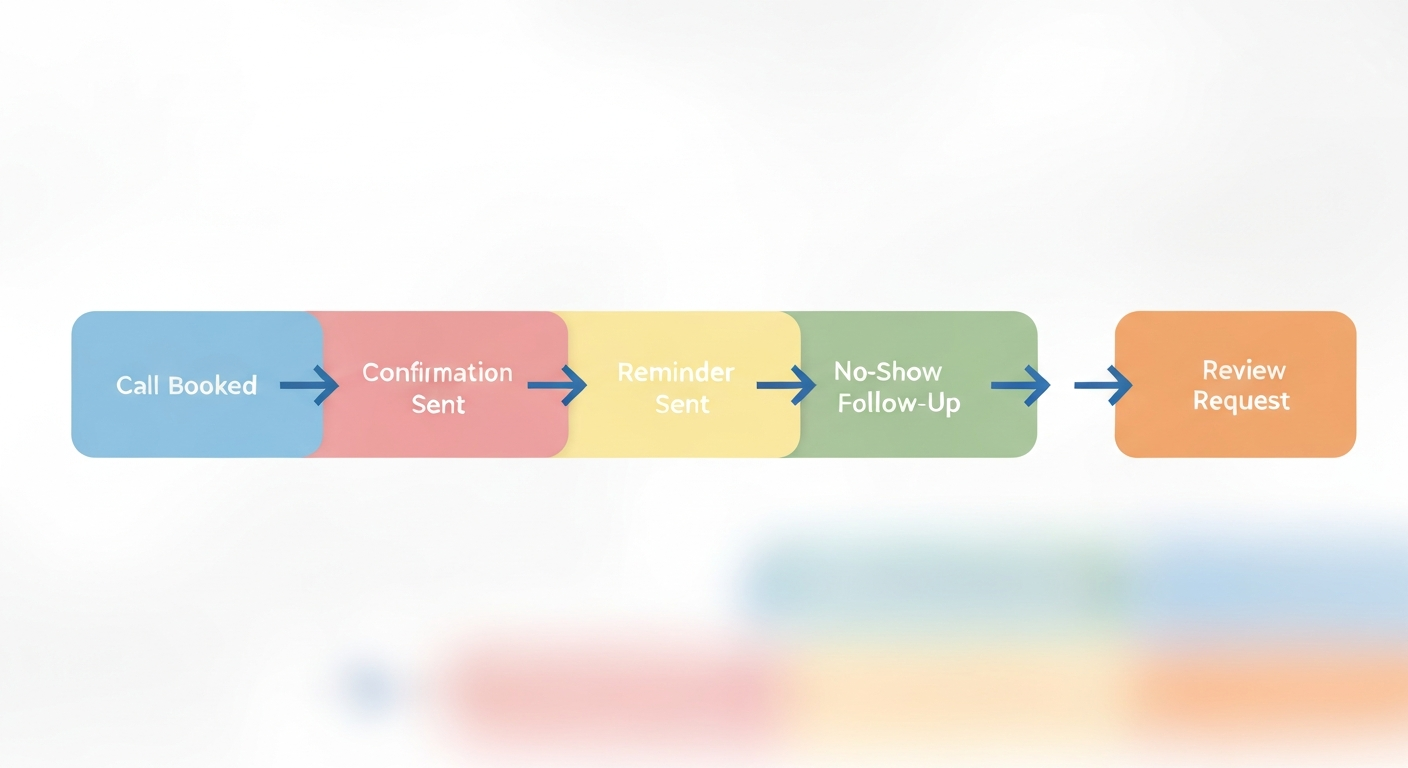
None of these steps individually seem complicated. What makes them powerful is that they happen automatically, in sequence, without anyone on your team remembering to trigger each one manually.
See what a fully connected workflow actually looks like for your business.
Book a Free AI Strategy Call →Why Isolated AI Tools Quietly Underperform
A lot of businesses end up with a collection of disconnected AI tools rather than a genuine system. A chatbot on the website. A separate voice system for the phone. A different tool entirely for review requests. Each one might work fine on its own, but none of them talk to each other, which means a customer's information doesn't carry over between interactions, and no single action reliably triggers the next.
This creates a specific kind of quiet failure. The chatbot captures a lead, but nobody follows up because the lead never made it into a system anyone was actively watching. The AI receptionist books an appointment, but the reminder never goes out because reminders live in an entirely separate tool nobody connected. Each individual piece did its job. The overall system still failed the customer.
Isolated Tools Versus a Connected System
The difference becomes clearest when you compare what happens to the exact same customer interaction under each setup.
| Stage of Interaction | Isolated AI Tools | Connected Workflow Automation |
|---|---|---|
| Appointment Booked | Logged in one system only | Automatically synced across calendar and CRM |
| Confirmation Sent | Manual, if remembered | Automatic, immediate |
| Reminder Before Appointment | Often skipped entirely | Sent automatically on schedule |
| No-Show Follow-Up | Rarely happens | Triggered automatically to reschedule |
| Review Request After Service | Manual, inconsistent | Automatic, timed appropriately |
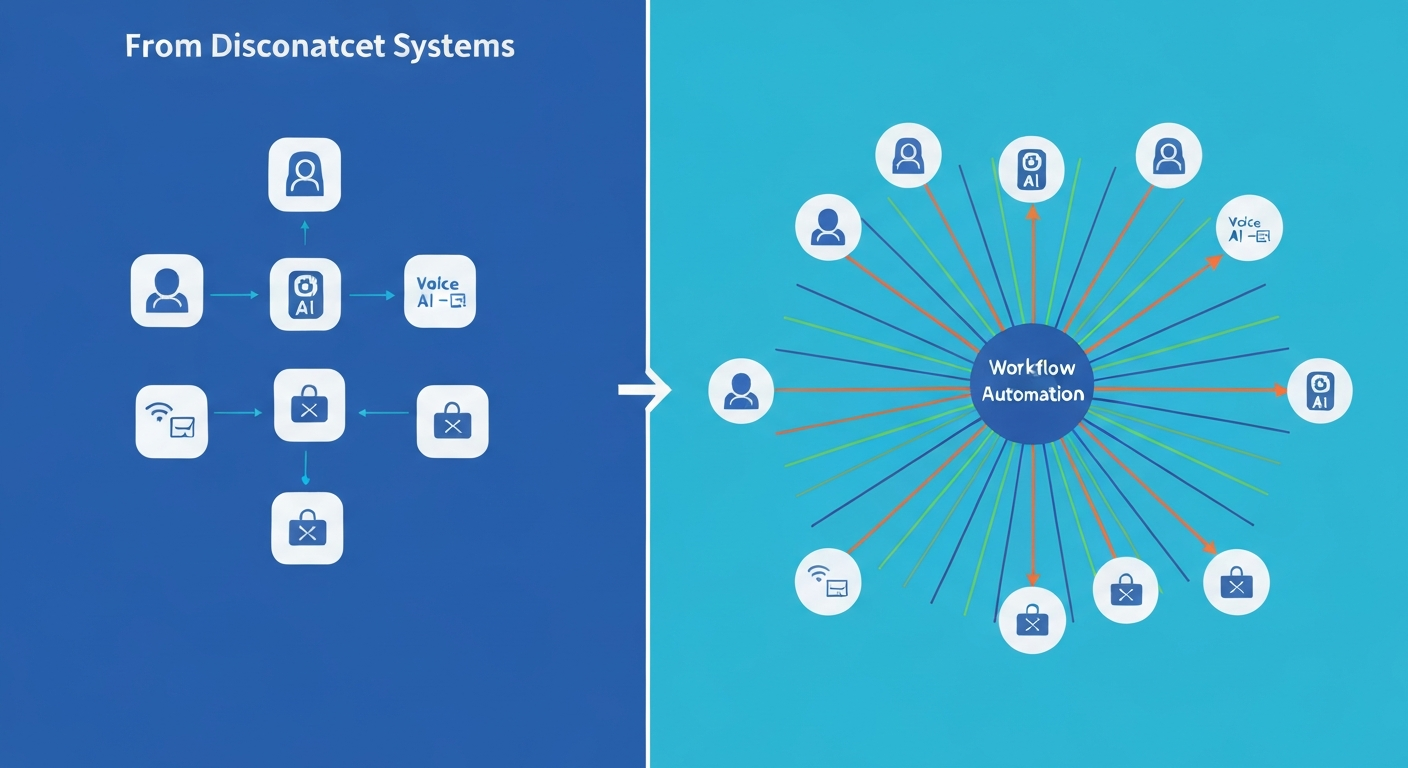
The pattern is consistent across every row. It's not that isolated tools don't work individually, it's that nothing connects them, so the customer experience quietly breaks at every handoff point between one tool and the next.
The Quiet Layer That Makes an AI Workforce Actually Function as a Workforce
This is really what separates a single AI tool from something that functions more like an actual AI workforce. A workforce implies coordination, one employee's action informing what another employee does next, rather than several disconnected specialists who never talk to each other.
Workflow Automation is what makes that coordination possible. It's rarely the flashy part of an AI system, nobody demos a workflow diagram the way they demo a voice AI answering a call, but it's the part that determines whether everything else actually adds up to something functional, or just a set of individually impressive pieces that don't reinforce one another.
Building the Connections Instead of Just the Individual Pieces
At BayksCloud Consultants, every AI employee we build is designed from the start to plug into a connected workflow, not exist as a standalone tool. Everything runs inside GoHighLevel, which means the calendar, CRM, voice AI, conversation AI, and automation triggers all live in the same environment rather than being stitched together across separate platforms.
The typical process looks like this:
- A discovery call mapping out every step that should happen after a customer interaction, not just the interaction itself
- Building the connected sequence, booking, confirmation, reminders, follow-up, review requests, all triggered automatically
- A review period testing the full chain from first contact through to the final automated step
- Launch within 72 hours once all requirements are gathered
If you want to see how a fully connected sequence would work for your specific business, you can start a 14-Day Free Trial before committing to anything long term.

Biggest Takeaways
- An AI employee that performs one action well but doesn't trigger what happens next is only solving part of the problem
- Workflow automation is the layer that turns individual AI actions into an automatic, connected sequence
- Disconnected AI tools often fail quietly at the handoff points between one system and another, even when each tool works fine on its own
- A true AI workforce requires coordination between employees, not just capable individual tools operating in isolation
- Everything running inside GoHighLevel means the connections exist from the start, rather than being stitched together after the fact
Stop running disconnected tools. Start running a connected workforce.
Book Your Free AI Strategy Call Today →Key Takeaways
- AI automation directly impacts your bottom line by capturing leads and booking appointments that would otherwise go to competitors.
- Implementing AI doesn't replace your staff; it frees them from repetitive tasks so they can focus on high-value customer interactions.
- Speed to lead is critical in local services. AI ensures a 24/7 instant response across voice, web chat, and SMS.

Written by Eric Adjei
Eric Adjei is an AI & Digital Marketing Strategist and Business Coach with over 20 years in the IT and digital marketing space, and founder of BayksCloud Consultants LLC - a digital marketing agency in the Miami–Fort Lauderdale metro area, South Florida. He specializes in helping Managed IT Services (MSPs), Medical Spas (Medspas), and HVAC companies replace manual operations and missed leads with AI employees, intelligent CRM systems, and digital marketing strategies that work around the clock.
Book a Free AI Strategy Call →Voice AI
Every missed call is a customer you might never get back.
Most people don't leave voicemails. They hang up and call someone else.
- Answers inbound calls for you, even after hours
- Qualifies leads, handles FAQs and books appointments automatically
- Sounds natural and captures every opportunity in your CRM
Related Articles

AI Appointment Setter 101: How to Book Jobs on Autopilot (2026 Guide)
What an AI appointment setter is, what it does from first contact to booked job, how it differs from an AI receptionist, and how to set one up the right way.

Do You Really Need an AI Receptionist? Here's the Truth (2026 Data)
An honest look at 2026 data on missed calls and AI receptionists: what the numbers really say, what an AI receptionist should do, and how to decide if you need one.
Why Small Businesses Fail to Follow Up (And Why It's Never About Effort)
Poor follow-up isn't a discipline problem. Here's the real structural reason leads and customers slip through the cracks, and how to fix it.
Ready to implement AI in your business?
Book a free strategy call to see how an AI receptionist can stop your revenue leaks.
Book Free AI Strategy Call